Angular JS + Firebase
A winning combination for rapid web app development

I understand that there are tons of frameworks and back-end solutions out there catering to the multitude of types of web apps but my criteria when it came to picking the best package was rapid prototype-ability and an easiest learning curve (I am actually new to web app dev ☺). I have found both Firebase and Angular JS, btw I highly recommend the fundamentals course by plural sight, to be well documented and fairly intuitive to learn and use. Here are some example of historically complex features made simple by AngularFire (Angular JS + Firebase), check out Firebase’s official support for this package.
Before you start be sure to have a Firebase account setup, you can setup a free Hacker Plan account which is limiting in terms of resources but perfect for rapid prototyping.
var myApp = angular.module(‘myApp’, [‘firebase’]);
Also include the following module into your app.js.
User Signup and Login
This example goes through and demonstrates the Email & Password method of user signup and login, note that Firebase supports login via Facebook and other platforms as well.
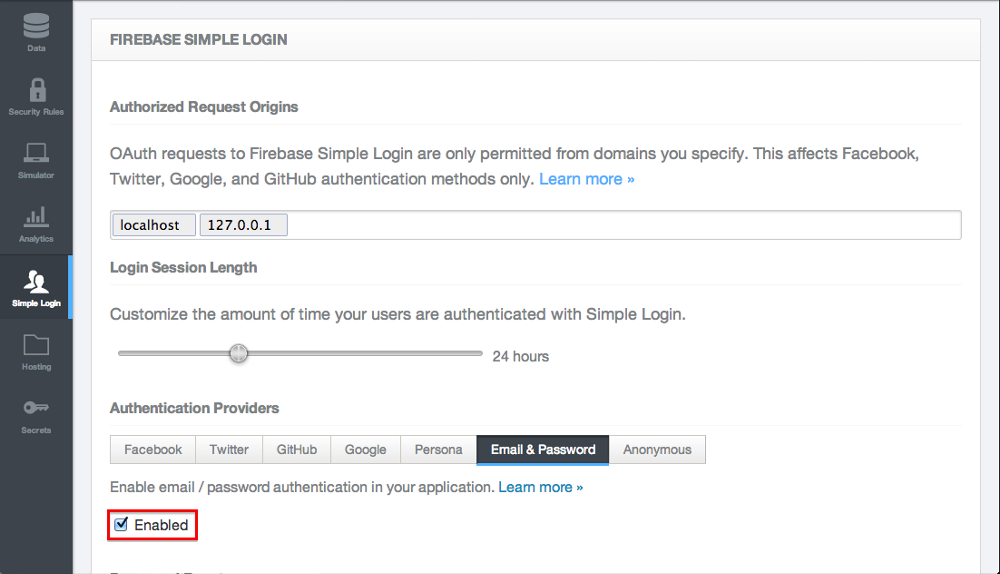
Within Firebase be sure to go to Dashboard->Simple Login->Email & Password and click the Enabled radio button.
Now within your controller you will need to include the following code snippet.
var ref = new Firebase(“https://xxYYzz.firebaseIO.com");
var auth = new FirebaseSimpleLogin(ref, function(error, user) {
  if (error) {
    // an error occured while attempting login
    console.log(error);
  } else if (user) {
    // user authenticated with Firebase
    console.log(user.id + ', ' + user.provider);
  } else {
    // user is logged out
  }
});
Note that *https://xxYYzz.firebaseIO.com will need to be replaced with url to your Firebase instance.*
The most important variable above is the auth *variable, which you can use for session management. Notice that the second function parameter within *FirebaseSimpleLogin() contains conditional statements which serve as your callback for the cases where; an error occurred while attempting login, user successfully authenticated with Firebase, and user is logged out.
Signup
Now that you have the *auth *variable, the client side code to create a new user is as easy as follows.
auth.createUser(newUser.emailaddress, newUser.password,
  function(error, user) {
    if (!error) {
      console.log(user.id + ', ' + user.provider);
    }
  });
}
In this example, newUser is a model with an email address and password that is being passed in from the view. Notice that you can check if the createUser() was successful via the error variable.
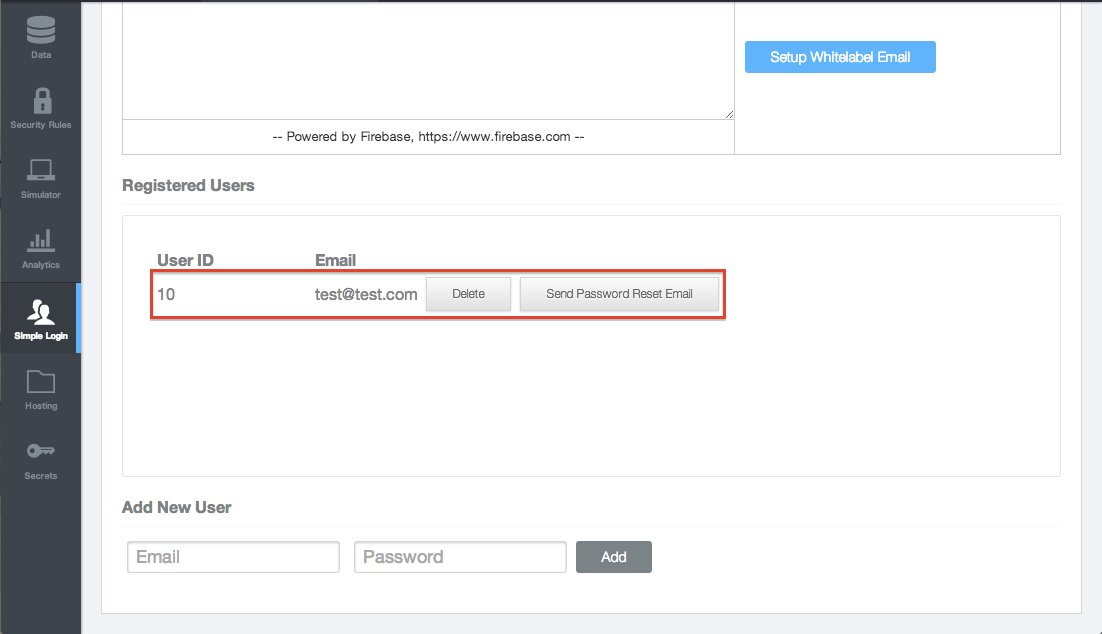
You can also verify that a user was created successfully by simple going back into *Dashboard->Simple Login->Email & Password *in your Firebase account and see that newly created record.
Login
Using the same *auth *variable, you can perform a login operation as well.
auth.login(‘password’, {
  email: user.emailaddress,
  password: user.password
})
You can also persist a login session, up to 30 days, by setting the following.
rememberMe: true
And thats it! With very minimal client side, controller js code you have implemented user signup and login capability. You can read more about Firebase’s simple login here.
For additional features and tighter bindings between AngularJS and Firebase checkout the following link.